




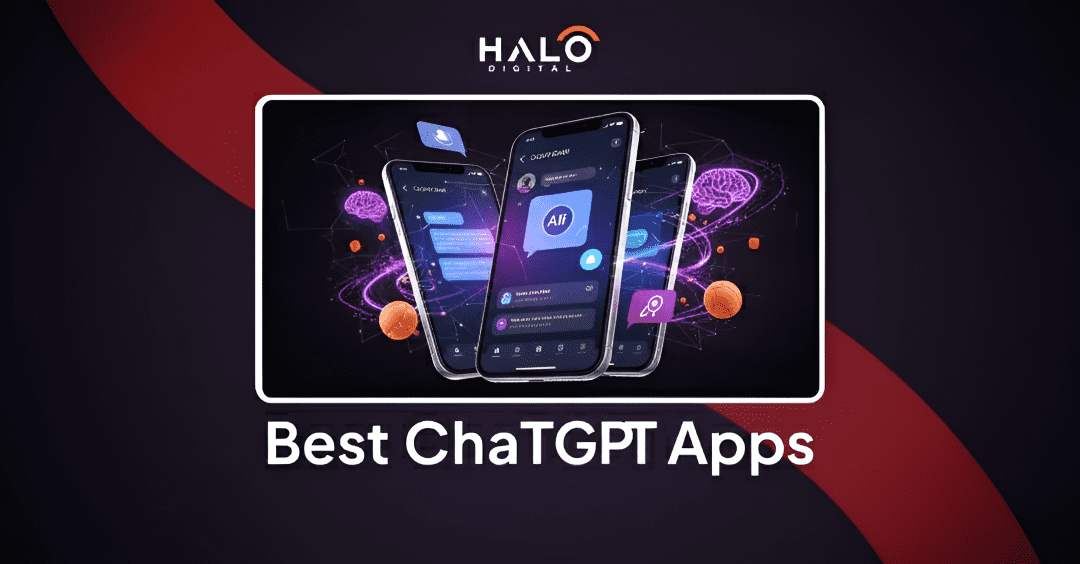
- The official ChatGPT app from OpenAI is the best overall choice for most users, offering the latest models, voice features, and a clean, ad free experience.
- Microsoft Copilot is the best free option for productivity, providing GPT-4 level intelligence, live web search, and DALL·E 3 image generation at no cost.
- Perplexity AI is the top app for research and fact checking because it delivers real time answers with clear citations.
- Specialized apps like Fireflies.ai for meetings, Notion AI for documents, and Copy.ai for marketing outperform general chatbots in focused workflows.
- The right AI app depends on your needs, such as writing, research, meetings, or creativity, so choose tools based on features, model access, and privacy.
Artificial intelligence has rapidly reshaped the mobile app ecosystem, transforming how individuals and businesses interact with technology.
What began as simple chatbots has evolved into powerful AI assistants capable of writing content, analyzing data, automating workflows, and supporting everyday decision making. As large language models continue to advance, the demand for high quality ChatGPT powered applications has grown across nearly every industry.
By 2026, choosing the best ChatGPT app is no longer about finding a general purpose chatbot. It is about selecting a specialized AI tool that delivers real value, reliability, and efficiency.
With more than 35,000 AI driven apps available, many offer little more than basic interfaces layered on top of existing models. Users often encounter limited functionality, aggressive paywalls, or inconsistent performance.
This guide is designed to simplify that process. After extensive hands-on testing and evaluation, we have identified the Best ChatGPT apps that stand out for their performance, features, and practical use cases. Whether you are looking to boost productivity, streamline business tasks, or explore advanced AI capabilities, this curated list highlights the applications that truly deserve your time and attention.
Introduction: Cutting Through the AI App Store “Noise”
The Problem: A Flooded Marketplace
Open your phone’s app store right now and search for “AI Chat.” You will likely be overwhelmed. There are thousands of icons that look exactly like the OpenAI logo. The majority of these are low quality clones. They are often filled with intrusive advertisements or they charge exorbitant weekly subscriptions for features that should be free. This makes the search for legitimate best ai chatbot apps incredibly frustrating for the average user.
The Big Confusion
A common question we hear at HALO Digital is simple. Which one is the real one? Users often cannot distinguish between the official ChatGPT app and third party imitators. Does it matter if you use a third party app? Is the underlying technology the same? These are valid concerns. Security and data privacy are often compromised in these unverified applications.
The Solution
We are here to clear up this confusion. This article does not just list apps. It categorizes them by utility. We will identify the single official app you need for a pure experience. Then we will introduce 10 specialized powerhouses. These are apps that use the same GPT-4 technology but package it with extra features like live web search or document editing.
What is the Difference Between “Real” vs “Powered By” ChatGPT Apps?
The main difference comes down to who controls the AI and how it is packaged.
1. The Official App (from OpenAI)
This is the source. When you use the official application from OpenAI, you are interacting directly with the model. It provides the baseline experience. You get the newest models like GPT-4o immediately. However, it is often a blank slate. It does not inherently know your calendar, your emails, or your specific business data unless you manually upload files.
2. “Powered by” Apps (The Ecosystem)
These are third party applications that utilize the OpenAI API. Think of these as custom built houses that sit on the same foundation. Developers use the raw intelligence of ChatGPT but build specialized rooms around it. For example, a developer might build an app specifically for writing code or for marketing copy. They use the GPT engine to generate text but add their own user interface and specific prompts. We discuss this distinction often in our guide on chatbot pros and cons, where we analyze why a custom wrapper might be better for business than a generic model.
Which is better? The official app is a fantastic generalist. Specialized apps are superior for specific workflows.
Top 10 Best ChatGPT Apps in a Glance
| App Name | Best For | Primary Models | Pricing Model (Monthly) |
|---|---|---|---|
| ChatGPT | General Use | GPT-4o, GPT-3.5 | Free/Plus: $20/mo |
| Microsoft Copilot | Productivity | GPT-4o, DALL-E 3 | Free/Pro: $20/user/mo |
| Perplexity AI | Research | Multiple LLMs (OpenAI, Anthropic, etc.) | Free/Pro: $20/mo ($200 annually) |
| Poe | Model Testing | Claude, GPT, Llama | Free/Sub: $5/mo or $19.99/mo |
| Notion AI | Workspace | GPT-4, Claude | Add-on: ~$10/user/mo (full AI in Business plan) |
| Fireflies.ai | Meetings | Custom AI models | Free/Pro: $10/user/mo (billed annually) |
| Copy.ai | Marketing | Multiple LLMs | Free/Pro: $36/mo (billed annually) |
| Fotor AI | Images | Custom AI models | Basic: Free/Pro: $8.99/mo |
| Type Genius | Typography (Web Tool) | N/A (Font Matching) | Free (Web-based tool) |
| AI Dungeon | Gaming | Dragon, GPT models | Free/Mythic: $49.99/mo (or annually discounted) |
Category 1: The Official Standard
1. ChatGPT (Official OpenAI App)
Best for: Anyone looking for a single AI app to write content, think through ideas, analyze documents, understand images, and interact naturally through voice using the latest GPT models.
Why it stands out:
The official ChatGPT app is the primary way to access OpenAI’s GPT models without third-party modifications. It receives new capabilities first, including GPT-4o, voice conversations, and multimodal input. This makes it the most accurate representation of what ChatGPT can do at any given time.
Instead of focusing on a single workflow, ChatGPT is designed to handle many tasks through natural conversation. It adapts to different needs such as drafting content, answering questions, planning steps, summarizing documents, and explaining complex topics without requiring setup or templates.
Detailed Features:
- GPT-4o Access
Use OpenAI’s latest model for stronger reasoning, better instruction following, and accurate multi-step responses. - Voice Conversations
Talk to ChatGPT in real time with natural pauses and interruptions for faster, hands-free interaction. - Image and Vision Understanding
Upload photos, screenshots, charts, or diagrams and get explanations, analysis, or solutions directly from visuals. - File Upload and Analysis
Analyze PDFs, spreadsheets, and text files for summaries, insights, and structured data understanding. - Context Aware Conversations
ChatGPT remembers context within a conversation, allowing you to refine tasks without repeating prompts. - Cross Device Sync
Your chats stay synced across mobile and desktop, so you can continue work without losing progress.
Price: Free (GPT-3.5/4o) / Plus ($20/mo).
Category 2: Best for All-in-One Productivity & Search
2. Microsoft Copilot (Formerly Bing)
Best for: Free access to premium models and web search.
Why it stands out:
Microsoft has integrated OpenAI’s technology deeply into its ecosystem. Copilot is essentially a free way to access GPT-4. Where OpenAI charges for their Plus model, Microsoft offers a version of it for free within this app. It is connected to the internet by default. This means you can ask about current events and get up to date answers. For businesses already using collaborative productivity software, Copilot integrates seamlessly.
Detailed Features:
- Image Creation: It includes DALL-E 3 for generating images at no cost.
- Sourcing: It provides footnotes for where it found the information.
- Modes: You can toggle between Creative, Balanced, and Precise conversation styles.
Price: Free & Pro: $20/mo
3. Perplexity AI
Best for: Factual answers and research with citations.
Why it stands out:
When comparing perplexity ai vs ChatGPT, the main difference is the source of truth. ChatGPT can sometimes hallucinate facts. Perplexity is built to be an answer engine. It reads the internet in real time. It does not just give you an answer; it gives you the sources. It essentially browses the top ten google results and summarizes them for you. This makes it trusted for academic or professional research where accuracy is paramount.
Detailed Features:
- Citations: Every claim has a tiny number next to it linking to the source.
- Pro Search: A deeper search capability that asks you clarifying questions to narrow down the results.
- Library: It saves your search threads as collections for later reference.
Price: Free/Pro: $20/mo ($200 annually)
4. Poe by Quora
Best for: Accessing multiple AI models in one app.
Why it stands out:
Poe is unique because it is an aggregator. It does not force you to use just one AI. You can switch between ChatGPT, Claude 3, Google PaLM, and Meta’s Llama models all within the same interface. It is perfect for developers or enthusiasts who want to compare how different models handle the same prompt. It also allows you to create your own “bots” with specific instructions and share them with the community.
Detailed Features:
- Multi Model Access: Use Claude for writing and ChatGPT for logic without changing apps.
- Bot Creation: Build a custom bot that only talks like a pirate or only helps with Python code.
- Community: Explore bots created by other users for specific niche tasks.
Price: Free/Sub: $5/mo or $19.99/mo
From custom ChatGPT apps to full-scale AI integrations, HALO Digital helps turn proven AI capabilities into real products. If you want to move beyond experiments and build secure, scalable AI solutions that fit your workflow, our team is ready to help.
Category 3: Best for Specialized Work & Business
5. Notion AI
Best for: Integrating AI directly into your notes and documents.
Why it stands out:
Notion is already a favorite for task management apps for founders. With the addition of AI, it becomes a second brain. You do not have to copy and paste text into a separate chatbot window. The AI lives inside your documents. You can highlight a messy meeting note and tell Notion AI to “fix spelling and grammar” or “summarize action items.” It uses your existing data context to provide better answers.
Detailed Features:
- Q&A: Ask questions about your own wiki or document database.
- Autofill: It can populate tables or summarize long articles automatically.
- Writer’s Block: Ask it to continue writing a paragraph you are stuck on.
Price: Included in Notion plans / AI Add-on.
6. Fireflies.ai
Best for: Automating meeting notes and summaries.
Why it stands out:
Manual note taking is becoming obsolete. Fireflies.ai is an automated assistant that joins your Zoom, Google Meet, or Teams calls. It records the audio, transcribes it, and then uses GPT technology to analyze the conversation. It identifies who said what. It pulls out dates and tasks. For managers who need to track deliverables without being distracted by typing, this is essential.
Detailed Features:
- Sentiment Analysis: It analyzes how positive or negative the meeting was.
- Soundbites: You can create snippets of important moments in the audio.
- AskFred: A chatbot feature where you can ask questions about what happened in the meeting.
Price: Free / Pro Plans.
Category 4: Best for Creativity & Writing
7. Copy.ai
Best for: Marketing, sales, and social media content.
Why it stands out:
While ChatGPT can write marketing copy, it often sounds robotic. Copy.ai is built on top of GPT models but is fine tuned specifically for persuasion. It has templates for Instagram captions, blog intros, and cold emails. It understands marketing frameworks like AIDA (Attention, Interest, Desire, Action). If you are looking to scale your content production similar to how one might scale software development as a service, this tool is the content equivalent.
Detailed Features:
- Brand Voice: You can train it on your brand’s specific tone so it sounds like you.
- Workflows: Automate a chain of tasks, like turning a blog post into a tweet thread.
- Templates: Hundreds of pre made structures for different types of writing.
Price: Free / Pro Plans.
8. Fotor AI
Best for: AI powered photo editing and image generation.
Why it stands out:
Fotor bridges the gap between a standard photo editor and an AI generator. You can use text prompts to generate new images from scratch. However, its real power lies in editing existing photos. You can use AI to remove backgrounds, replace objects, or expand the borders of an image. It brings complex Photoshop capabilities to a simple mobile interface.
Detailed Features:
- Magic Eraser: Remove unwanted people or objects from photos instantly.
- AI Avatar: Turn your selfies into professional or stylized avatars.
- Text to Image: Describe a scene and watch it generate in seconds.
Price: Free / Pro.
Category 5: Best for Niche & Fun
9. Type Genius AI Keyboard
Best for: Using ChatGPT in any app (iMessage, Email, etc.).
Why it stands out:
Switching between apps to copy and paste answers is tedious. Type Genius solves this by replacing your iPhone keyboard. This brings the power of ChatGPT apps for iphone directly into every text field. Whether you are writing an email in Outlook or sending a text in WhatsApp, you can tap a button to have the AI rephrase your sentence or check your grammar.
Detailed Features:
- Translation: Translate text instantly as you type it.
- Tone Change: Rewrite a casual text to be formal with one tap.
- Integration: Works in every app that uses a keyboard.
Price: Subscription.
10. AI Dungeon
Best for: AI powered text adventure games.
Why it stands out:
This is one of the most creative uses of the technology. Instead of a productivity tool, it is a game. You are the protagonist in a story that never ends. You type what you want to do (“I open the door and fight the dragon”), and the AI narrates the result. Because it is powered by LLMs, the story is not pre written. Anything is possible. It is a fantastic demonstration of the creative potential of AI beyond just answering emails.
Detailed Features:
- Infinite Scenarios: Fantasy, cyberpunk, mystery, or custom worlds.
- Multiplayer: Play through a story with friends.
- World Building: Create detailed lore that the AI remembers during your adventure.
Price: Free / Subscription.
Halo Digital's Top 3 Picks for 2026
After testing dozens of applications, we have narrowed down the absolute essentials.
- Best Overall: ChatGPT (Official App)
It remains the source of truth. For 90% of users, the official app is sufficient, secure, and the most reliable way to access the latest models. - Best for Productivity: Microsoft Copilot
The value proposition is undeniable. Getting GPT-4 and DALL-E 3 for free makes this a must have for students and professionals alike. - Best for Search: Perplexity AI
For anyone who values accuracy over creativity, Perplexity is the superior choice. The “answer engine” model is the future of search.
How to Choose the Best AI App for You (Your 4-Point Checklist)
Choosing the right AI app depends on how well it fits your daily needs. Use this simple checklist to make a smarter decision.
1. Your Primary Use Case
Are you writing code, summarizing meetings, or just asking questions? If you are a developer, an app like Poe or a specialized coding assistant is better. If you are a writer, Copy.ai or Notion AI fits your workflow better than a generic chatbot.
2. Model Access
Do you need the fastest, smartest model (like GPT-4o)? Or is a free, older model (GPT-3.5) good enough? The newer models are significantly better at logic and reasoning. If your work involves complex problem solving, ensure the app gives you access to GPT-4.
3. Key Features
Do you need web access, image generation (DALL-E 3), or voice to text? The official app has great voice features. Copilot is great for images. Perplexity is great for web access. Don’t pay for an app that lacks the specific feature you need.
4. Data Privacy
Are you comfortable with the app using your data for training? This is especially important for work. Many free apps monetize by using your chat data to train their models. For sensitive business data, use the official app’s “Enterprise” settings or a secure business focused tool. We often discuss the importance of security in web application architecture, and the same principles apply to the apps you download.
Work with HALO Digital on Your AI Journey
At HALO Digital, we are an AI web and app development company that doesn’t just review apps; we build intelligent, scalable solutions. We specialize in LLM and GPT-4 integration, connecting powerful AI models to user-friendly mobile and web applications.
Our team has helped businesses progress from early desktop vs web application considerations to building fully automated AI ecosystems, streamlining workflows and unlocking real operational efficiency.
Whether you are looking to build a custom AI solution or simply need guidance on digital transformation, we bridge the gap between complex code and business results. Our expertise in app development and software development gives us the perfect perspective on what makes an app truly successful.
Ready to build your own AI powered solution?
If you have an idea for the next great AI application, or if you need to integrate these technologies into your existing business, we are here to help.
Contact HALO Digital today for a consultation on how we can turn your AI vision into a functioning reality.
Conclusion: Best ChatGPT Apps
The “best” app is never a one size fits all solution. The official ChatGPT app serves as your reliable baseline. Perplexity offers superior search capabilities for researchers. Fireflies revolutionizes meeting productivity for professionals. Your choice should depend entirely on your daily workflow. Download the few that fit your needs and delete the rest to avoid digital clutter.
FAQs
Is there an official ChatGPT app?
Yes, there is only one official ChatGPT app. It is developed by “OpenAI” and is free to download on both iOS and Android. Look for the simple black and white logo.
What is the best free ChatGPT app?
The best free ChatGPT app depends on what you need, since different tools excel at different tasks. Microsoft Copilot is a strong choice for everyday use, especially for Microsoft users, as it supports web browsing and advanced AI features. Google Gemini works well for people who rely on Google services and want multimodal input like text and images. Perplexity AI is ideal for research because it provides clear sources and citations. Claude is known for natural, long form conversations and thoughtful responses.
Other popular free options include the official ChatGPT free version, which offers a simple and reliable experience, and Poe, which lets users access multiple AI models from one app. Tools like You.com, Character AI, and Meta AI are also useful for specific needs such as search, role based conversations, or social integration. The best choice ultimately depends on whether your priority is research, creativity, productivity, or general AI assistance.
Is ChatGPT better on Android?
ChatGPT works well on Android, but the experience can differ slightly by platform. On mobile apps such as Android and iOS, responses are usually shorter and more direct, making them easier to read on smaller screens. The web or desktop version often gives longer and more detailed answers. These differences are mostly due to interface design and feature availability rather than model quality.
Is it safe to install ChatGPT on Android?
Installing ChatGPT on Android is generally safe, but users should be mindful of privacy. Conversations may be stored and reviewed to improve the system, so it is not recommended to share sensitive or personal information. While the app itself does not act maliciously, it should not be treated as a secure place for confidential data.
Can ChatGPT be used against you?
Yes, ChatGPT conversations are not legally private or confidential. In certain situations, chat data could be accessed through legal processes, and the tool can also be misused by bad actors to generate scams, phishing messages, or misleading content. Additionally, AI responses can sometimes be inaccurate, which may cause harm if relied on without verification.
What should you not tell ChatGPT?
You should avoid sharing any sensitive or private information with ChatGPT. This includes personal details like your address, phone number, or government ID numbers, financial information such as bank or credit card details, account passwords, health records, and confidential work or business data. A good rule is to never share anything you would not be comfortable making public.
What are common username mistakes to avoid?
When creating a username, avoid using personal information such as your real name, birth date, or address. Do not include passwords, PINs, or any security related details. A strong username should be unique, non-identifying, and unrelated to sensitive personal or financial information.

Arsalan Chauhdary is the CEO and Co-Founder of Halo Digital, a full-spectrum software development agency serving startups and enterprises globally. Over the past 10 years, he has led the architecture and development of platforms used by millions of people across 160+ countries, including DonorSync (GDPR-compliant charity SaaS), Pilgrim (faith-based mobile app with 50K+ users), and enterprise portals for multinational organizations. His work has been referenced by Cloudways and published on Creately. Arsalan Tariq specializes in Laravel, AWS, and building secure, scalable systems for regulated industries including healthcare, finance, and nonprofits. At Halo Digital, he leads a multidisciplinary team focused on delivering products that prioritize security, compliance, and long-term impact.