








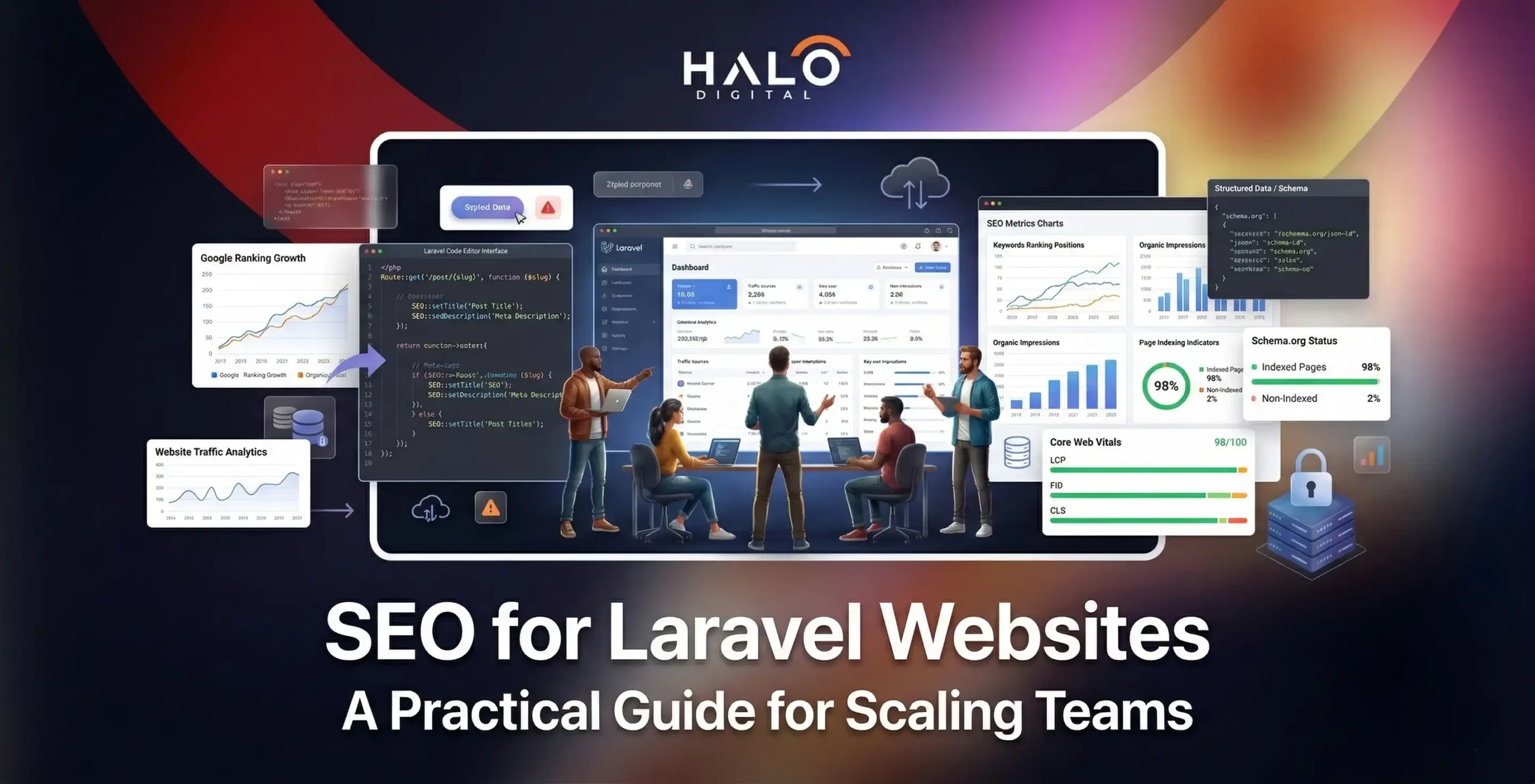
Framework vs. Implementation: Laravel’s MVC architecture is superior for SEO, but “technical debt” in routing and metadata often causes invisibility on Google.
Centralized Logic: Stop scattering tags across Blade files. Use a service class or packages like
artesaos/seotoolsto manage metadata from a single source.AEO & GEO Readiness: Future-proof your site for AI search (Google AI Overviews) by using
spatie/schema-orgto build programmatic JSON-LD directly from your Eloquent models.Crawl Efficiency: Use dynamic sitemaps and named routes to ensure search engines only index your high-value, canonical pages.
Performance as a Signal: Prioritize Core Web Vitals by auditing Blade component weight and using eager loading to eliminate N+1 query bottlenecks.
Most businesses reach us at Halo Digital with the same question: we built our platform on Laravel, it runs beautifully, so why are we invisible on Google?
The answer is never the framework. Laravel is one of the most capable PHP frameworks available, and its MVC architecture gives development teams a level of control over crawlability, rendering, and URL logic that no off-the-shelf CMS can match. The issue is almost always implementation — specifically, SEO concerns that were deprioritised during the build and never revisited systematically.
This guide breaks down how SEO actually works inside a Laravel project, what distinct challenges you will encounter, and the hands-on steps our team uses when auditing and optimising Laravel-based applications for organic search growth.
Why Laravel SEO Works Differently From WordPress SEO
The SEO workflow on a CMS like WordPress is plugin-dependent. Yoast or RankMath fills in meta tags, a pre-built sitemap module handles crawl paths, and redirects get managed through a visual panel. The system does a reasonable job for content-first sites with moderate technical complexity.
Laravel operates from a completely different model. There are no built-in SEO panels. Every routing rule, every canonical tag, every structured data block is written into the application itself — through controllers, Blade templates, or dedicated service classes. This means the ceiling for SEO quality is significantly higher, but so is the floor for what can go wrong when teams skip the foundations.
The MVC architecture at Laravel’s core is actually a natural fit for technical SEO. Models hold the content logic, controllers handle request routing, and views (Blade templates) generate the HTML that search engines read. When this chain is implemented cleanly, crawlers encounter predictable structures, consistent metadata, and fast page delivery.
The problem is that most Laravel projects accumulate SEO debt over time. Routes get added without naming conventions. Metadata gets scattered across three different files. Schema markup gets written once for the homepage and never extended. By the time a business engages a specialist, they are dealing with a fragmented technical baseline rather than a clean optimisation problem.
The Real Technical Challenges Inside Laravel Projects
Before diving into optimisation tactics, it is worth naming the problems clearly. These are the patterns we encounter most often in Laravel audits.
Routing Inconsistencies Across Teams
In projects developed by multiple contributors over 18 to 36 months, routing patterns drift. Category pages may use /products/{category} while a later developer built /shop/category/{id}. Both patterns exist simultaneously, crawlers receive inconsistent signals, and URL equity splits across duplicate entry points. The fix is never cosmetic — it requires a route audit, canonical alignment, and often a redirect strategy.
Metadata Ownership Without a Single Source
Meta titles and descriptions can originate from helpers, middleware, controller logic, or Blade includes depending on who wrote which section of the app. Teams often cannot answer a simple question: where exactly does the title tag for a product page come from? When the answer requires reading three files, the metadata is almost certainly inconsistent. Centralising this logic through a service class or a package like artesaos/seotools brings the whole system back under control.
Pagination Fragmentation
Laravel encourages custom query scopes for clean data handling, which is excellent for application logic but can produce wildly inconsistent pagination URL formats across different sections. A product listing may use ?page=2, while a blog uses /blog/page/2, and a search results section appends filter parameters in a different order each time. Crawlers receive mixed signals and struggle to establish a consistent crawl pattern.
Render Load That Grows Faster Than Expected
Blade templates expand as features are added. Nested components, conditional blocks, and multi-layer layouts increase Time to First Byte (TTFB) and Largest Contentful Paint (LCP) — both of which are direct Core Web Vitals signals. Projects that performed well at launch start failing PageSpeed audits six months later because no one planned for caching strategy or component weight as the template tree grew.
While Blade-specific optimizations are vital, a broader approach to infrastructure and asset delivery is often required to hit the highest performance benchmarks. For a deeper look at how to audit these metrics, see our guide on website performance optimization.
Schema Without a Unified Data Model
Structured data often begins as a few JSON-LD blocks pasted into templates. Over time, a second developer adds a product schema in a different format, someone duplicates the FAQ schema with different field names, and the entity signals search engines receive become contradictory. Google’s Rich Results Test flags errors, and the pages never qualify for enhanced SERP features despite containing the right content.
Building a Clean Technical SEO Foundation in Laravel
Technical SEO in Laravel is not a checklist task you complete once. It is a baseline architecture that must be designed before the first content page goes live and maintained as the application scales. Here is how each layer should be approached.
URL Structure and Route Architecture
Clean, predictable URLs serve both crawlers and users. Laravel’s route model binding makes this straightforward: instead of /products?id=142, you define /products/{category}/{slug} and bind it directly to your Eloquent model. The URL becomes human-readable, keyword-aware, and structurally consistent across every product in the catalogue.
A few principles that should govern URL design from day one:
- Use hyphens as word separators in slugs, never underscores
- Keep URL depth to three levels or fewer for primary content types
- Use named routes in Laravel so internal links never break when patterns change
- Avoid appending session tokens, tracking parameters, or access keys to indexable URLs
This level of control is exactly why teams move away from off-the-shelf site builders in favor of custom frameworks. If you’re still weighing up whether a bespoke Laravel build is overkill for your specific project, it helps to understand the fundamental split between cloud applications vs web applications and which one actually supports your long-term growth.
Canonical Tag Management
Laravel applications frequently serve the same content under multiple URL paths — through filter parameters, sorting options, or pagination states. Without canonical tags, search engines divide link equity across all of these variants instead of consolidating it on the intended page.
The cleanest implementation places canonical resolution in a utility method or SEO service class that the layout Blade template calls on every page load. This method receives the current route context, strips non-canonical parameters, and injects the correct rel=canonical link into the <head>. The result is a system-wide canonical policy managed in one place, not scattered across dozens of templates.
Robots.txt and Dynamic Sitemaps
A static robots.txt file works for most projects. The sitemap, however, should never be static on a Laravel application with dynamic content. Using spatie/laravel-sitemap, you can generate a sitemap programmatically — pulling only published, publicly accessible URLs from your models, excluding admin routes and filter permutations, and scheduling regeneration through a Cron-backed Laravel task. Crawlers receive a current, accurate map on every visit.
The robots.txt should explicitly block /admin, /api, and any route group that generates session-dependent or user-specific pages. Crawl budget is a real constraint for large Laravel applications — every wasted crawl on an admin panel is a crawl that did not reach a product page.
Core Web Vitals and Rendering Performance
Google’s own data shows that moving from a one-second to a ten-second load time increases mobile bounce probability by 123%. For Laravel applications, performance work typically focuses on four areas:
- Route caching via php artisan route:cache to reduce bootstrap overhead on every request
- Eager loading in Eloquent to eliminate N+1 query patterns on listing pages
- Blade component weight auditing to identify nested partials that add render time without value
- Asset compilation and image optimisation through the Laravel asset pipeline
TTFB and LCP are the two Core Web Vitals metrics most directly affected by server-side rendering speed. Laravel applications that serve fully rendered HTML rather than relying on client-side JavaScript hydration have a structural advantage here — the browser receives displayable content faster.
On-Page SEO: What Changes Inside a Laravel Architecture
Programmatic Metadata at Scale
One of the genuine advantages of Laravel over a CMS is the ability to generate metadata programmatically from your data layer. Instead of relying on an editor to manually write a meta description for every product, you define a template in your controller or SEO service: the title pulls from the product name and category, the description constructs itself from a summary field and a brand name suffix, and the canonical URL resolves automatically from the slug.
This scales in a way that manual CMS SEO cannot. A catalogue of 4,000 products has correctly structured, unique metadata from day one. When the product name changes in the database, the title tag updates everywhere it appears. There is no editorial overhead and no metadata debt.
Structured Data and Schema Implementation
Schema markup is how you communicate entity relationships to search engines — and increasingly to AI-driven answer engines like Google’s AI Overviews and Bing Copilot. A well-implemented product schema tells the crawler not just what the page is about, but the price, availability, brand, and review aggregate in a machine-readable format.
In Laravel, the most maintainable approach uses spatie/schema-org to build JSON-LD blocks from your Eloquent model data. The schema for a product page draws directly from the same Product model that drives the page content — so there is no risk of the structured data diverging from the visible content, which is a common cause of rich result eligibility failures.
Always validate schema through Google’s Rich Results Test and Schema Markup Validator before deploying. Required fields, correct property names, and logical nesting matter more than volume — a single complete, valid product schema outperforms five malformed ones.
Internal Linking Architecture
Laravel’s relational model structure makes topic cluster architecture unusually clean to implement. If you have a primary service page for, say, mobile application development, and a set of supporting articles covering specific aspects of that service, a belongsToMany relationship in your models can power the related links section automatically. Every new supporting page added to the cluster gets surfaced in the internal link block without a template change.
Using Laravel’s named routes for internal links also prevents the most common internal linking error in content-heavy projects: hardcoded URLs that silently break when slug patterns change. The route() helper resolves the correct URL from the route name, so a rename in your routes file propagates everywhere.
Multilingual and International SEO in Laravel
Laravel is well-suited to multilingual builds because localisation logic lives in the application layer, not inside a plugin that may or may not support your routing requirements. Using mcamara/laravel-localization, you can define language-prefixed URL structures (/en/, /de/, /ar/) with a consistent routing pattern across all locales.
The SEO requirements for international architecture are specific:
- Each language version must have its own crawlable URL — subdirectory structures (/en/, /ar/) are generally preferred over subdomains for consolidating domain authority
- Hreflang tags must be generated dynamically and injected into the <head> for every page, referencing all language alternates including x-default
- Meta tags, page titles, and schema content must be translated at the model level — not just the visible body copy
- Duplicate content across locales must be prevented through both canonical tags on each version and correct hreflang implementation
Astrotomic/laravel-translatable is the package we most frequently recommend for keeping language versions properly separated at the Eloquent model level.
It prevents the most common internationalisation mistake: serving translated content through a single URL with a language parameter rather than through discrete, crawlable URL paths.
Laravel SEO Packages Worth Using
The Laravel ecosystem has a set of well-maintained packages that handle the repetitive implementation work. These are the ones that consistently earn their place in production projects:
Package | What It Handles | Why It Matters |
spatie/laravel-sitemap | Dynamic XML sitemap generation | Keeps crawl paths current without manual updates; supports priority and changefreq settings per model |
artesaos/seotools | Centralised meta tags, Open Graph, Twitter Cards | Single point of control for all head tag logic across every Blade template |
spatie/schema-org | Programmatic JSON-LD schema generation | Builds structured data from Eloquent model data, eliminating schema-content divergence |
mcamara/laravel-localization | Multi-language URL routing | Handles language prefix routing cleanly with hreflang support |
Astrotomic/laravel-translatable | Translated content at the model level | Keeps language versions separated in the database, not just in the view layer |
Laravel SEO in the Age of AI Search and Generative Engines
Generative Engine Optimisation (GEO) is no longer a future consideration. Google AI Overviews, Bing Copilot, and tools like ChatGPT’s browsing mode are actively pulling structured content from web pages and surfacing it in generated answers. For Laravel applications, this creates a specific opportunity that most competitors are not yet capitalising on.
The advantage Laravel holds is its data model architecture. Where a CMS serves content as a rendered page, a Laravel application can expose its content through both rendered Blade views and structured API endpoints simultaneously. This positions it well for the shift toward Answer Engine Optimisation (AEO), where content must answer specific questions in extractable, self-contained formats.
Practical steps for GEO and AEO readiness in a Laravel architecture:
- Add short_answer, key_facts, and faq fields to core Eloquent models. These can be populated through the admin panel and fed into both Blade context blocks and JSON-LD FAQ schema simultaneously.
- Create dedicated answer endpoints — routes like /api/answers/{slug} — that return a compact structured response: a title, key facts, and source links. These endpoints serve FAQ blocks on the front end, schema markup in the head, and content that generative systems can parse efficiently.
- Build self-contained context blocks in Blade for definitions, comparisons, and feature summaries. These are structured HTML sections — not part of the main narrative — that AI crawlers can extract cleanly without processing the full page.
- Log traffic from AI agents through middleware, capturing requests from AI Overviews, ChatGPT plugins, and other assistants. Knowing which pages generative systems already surface tells you where your content authority is strongest.
- Structure FAQ schema at the model level through spatie/schema-org so every article and service page that contains questions automatically outputs valid FAQPage markup without manual intervention.
The underlying logic here is that generative engines prefer content that answers questions directly, cites sources clearly, and uses consistent entity language.
Laravel’s data layer is structurally well-suited to this because the same field values that populate visible content also feed schema markup and answer endpoints — the consistency that AI crawlers reward is a natural output of a well-designed Eloquent architecture.
Structuring your data for AI is only half the battle; the front-end must still deliver an intuitive experience that converts the traffic these engines send. We explore this intersection in our breakdown of modern web application design.
Security, Mobile-First Indexing, and Crawlability
Google’s mobile-first indexing policy means the mobile version of your Laravel application is the primary input for ranking decisions. This is not a caveat — it is the main signal. Laravel’s Blade templating system handles responsive layouts cleanly, but teams need to test rendering on mobile explicitly rather than assuming that desktop-first development translates well.
Security is also a direct ranking concern, not just a compliance one. Google applies Safe Browsing warnings to compromised pages and can remove affected URLs from the index until the issue is resolved. Laravel’s built-in CSRF protection, strict request validation, and middleware-gated admin routes close most of the attack surfaces that spammers exploit to inject links or generate doorway pages — both of which cause indexation damage that takes months to recover from.
Enforcing HTTPS at the application level through Laravel’s middleware stack is non-negotiable. HTTP responses for HTTPS URLs, mixed content warnings, and expired SSL certificates all generate crawl errors that suppress rankings.
Beyond the impact on rankings, a security breach can compromise your entire data layer. To ensure your platform is hardened against these risks, follow our checklist for web application security best practices.
Measuring SEO Performance on a Laravel Project
SEO measurement on a Laravel project should track technical health alongside organic performance. The signals that matter most:
- Crawl coverage in Google Search Console — the ratio of indexed pages to submitted pages in the sitemap reveals whether your sitemap architecture and robots configuration are working correctly
- Core Web Vitals scores by page template — not as a site-wide average, but broken down by template type (product pages, category pages, blog posts) so you can isolate rendering issues to specific Blade structures
- Index coverage errors — particularly soft 404s and redirect chains, both of which are common in Laravel projects that have undergone significant route restructuring
- Organic visibility by page intent — separating informational, navigational, and transactional pages in your rank tracking gives you an accurate read on where the content strategy is gaining traction
- Schema eligibility rates — tracking the percentage of pages that qualify for rich results tells you whether your structured data implementation is consistent and valid at scale
The Case for Doing Laravel SEO Right From the Start
Laravel takes longer to build, costs more at the initial stage, and requires more specialised SEO knowledge than a CMS deployment. That trade-off is front-loaded. Once the architecture is established, the ongoing SEO work is more reliable, more scalable, and less dependent on plugin ecosystems that can introduce regressions with every update.
The businesses that get the most from Laravel SEO are those that treated technical search visibility as a first-class requirement during development, not a project phase to revisit after launch. Clean routing, centralised metadata, programmatic schema, and a content layer designed for both human readers and AI extraction systems — these are not retrofits. They are architectural decisions.
Because these decisions are baked into the foundation, selecting a partner who understands the bridge between code and search visibility is the most critical step in your project. You can find our framework for vetting these partners in our guide on how to choose a web development company.
At Halo Digital, our app development and digital marketing teams work from the same technical baseline. When we build on Laravel, SEO requirements are part of the system design from the first sprint. When we audit existing Laravel applications, we work through each of the layers described in this guide — routing, metadata, schema, performance, and content architecture — and prioritise fixes by the impact they will have on crawlability and organic visibility.
If your Laravel project is underperforming in organic search, the problem is almost certainly solvable. The framework is not the obstacle — it is one of the most capable environments available for serious technical SEO work.
Ready to make your Laravel application work harder in organic search?
Talk to the team at Halo Digital. We combine deep Laravel development knowledge with a full-spectrum digital marketing practice — so optimisations get implemented correctly, not just recommended. Let’s get started with your Laravel project.
Don't let your framework limit your growth. At Halo Digital, we combine world-class Laravel development with aggressive SEO strategies to turn your platform into a high-traffic revenue driver

Abdullah Mangi is an SEO strategist and content writer with 5 years of experience helping businesses grow online. He writes about programming, tech, online business, and practical how-to topics. Abdullah has worked with clients in SaaS, software development, web design, link building, yacht rentals, gardening, car rentals, and recruitment.