









- Platforms like Mailchimp and Intercom show how structured layouts, visual hierarchy, and reduced interface noise improve usability in feature heavy web applications.
- Tools such as Netlify and Notion demonstrate how modern web apps translate complex systems into clear, flexible, and predictable user experiences.
- Examples like Buffer highlight the value of simple navigation and visual restraint when managing multiple workflows inside one product.
- Halo Digital applies these proven design patterns in real production environments, ensuring web applications remain performant under scale, accessible across devices, and reliable in security sensitive workflows.
Modern web application design today decides how users experience your product and whether they stay or leave. Research shows that 88 percent of users are unlikely to return to a website after a bad experience. That is why design is no longer just about visuals. It directly affects performance, usability, and long-term growth.
At HALO Digital, we have seen how the right design choices can turn a web application into a powerful business asset. We work with startups and enterprises to build web apps that are fast, intuitive, and scalable. Every design decision is backed by real user behavior, technical expertise, and proven development practices.
This article explores the key principles of modern web application design, the trends shaping digital products today, and the best practices that successful teams follow. If you are planning a new web app or improving an existing one, this guide will help you make design decisions that create better user experiences and stronger results.
For a broader perspective on the entire build process beyond just design, we highly recommend reading our complete web application development guide.
Top 5 Examples of Modern Web Application Design
1. Mailchimp
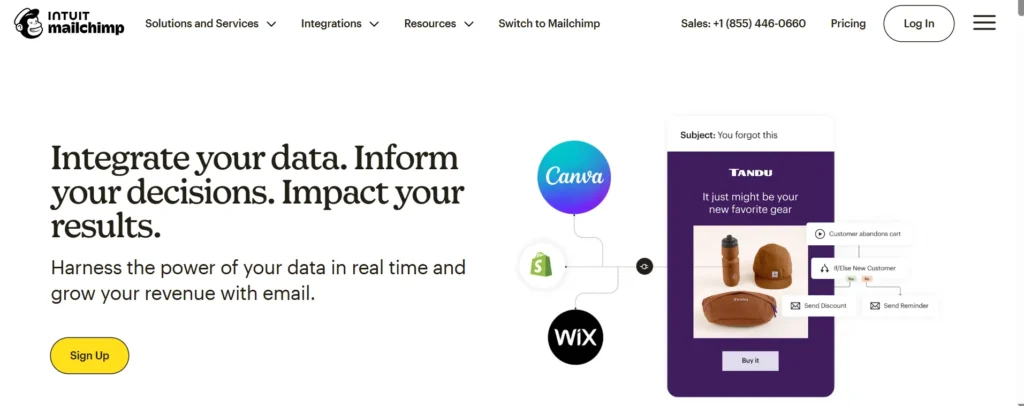
This platform is a strong reference point for businesses struggling to balance brand personality with complex functionality in modern web applications. Many teams face the challenge of making advanced marketing tools usable without overwhelming users, and this product demonstrates how structured UX decisions can solve that problem.
- Uses a mature design system that maintains visual consistency across dashboards, workflows, and analytics
- Applies clear visual hierarchy to guide users through multi step processes such as campaign creation and automation
- Employs progressive disclosure so beginners are not exposed to advanced controls too early
Integrates feedback states like previews, confirmations, and warnings to prevent costly user errors - Maintains a recognizable brand identity without sacrificing usability or performance
From a modern web application design perspective, the key lesson here is how to scale a feature rich product while preserving clarity, trust, and user confidence. The main limitation is that high volume users may require faster access paths and more flexible reporting layouts.
HALO Digital is the perfect agency to select for your app development projects. We always make sure our clients are informed of every stage of development and the end product is exactly according to their needs.
2. Netlify
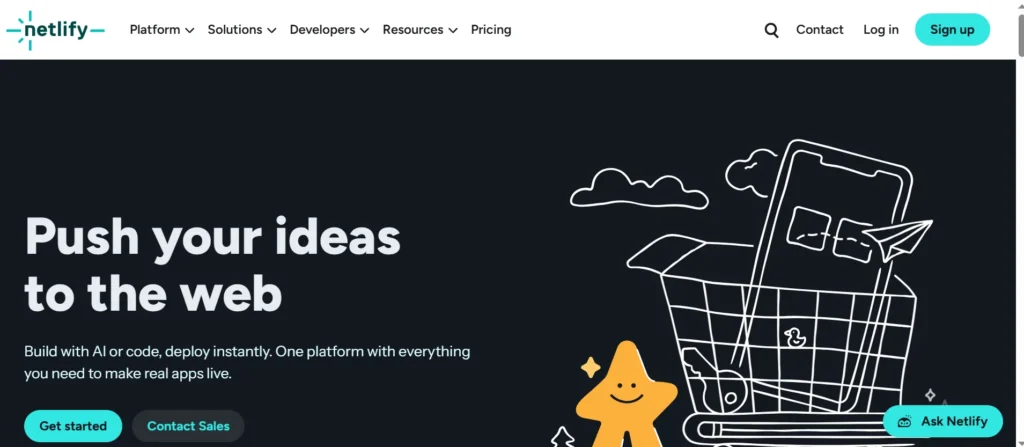
This platform speaks directly to teams who struggle with overly complex technical dashboards and unclear system feedback. Many modern web applications fail when they expose infrastructure complexity without thoughtful interface design. This product succeeds by translating technical operations into understandable user actions.
- Strong information architecture that organizes complex system data into readable tables and structured views
- Clear system feedback through logs, statuses, and real time updates that improve user confidence
- Logical navigation paths based on tasks rather than technical terminology
- Minimal visual noise which helps users stay focused during critical operations
- Predictable interface behavior that reduces errors during deployment and configuration
From a design standpoint, this example shows how performance focused and developer centric applications can still deliver a refined user experience. The primary gap lies in limited interface customization for teams managing large scale projects.
3. Notion
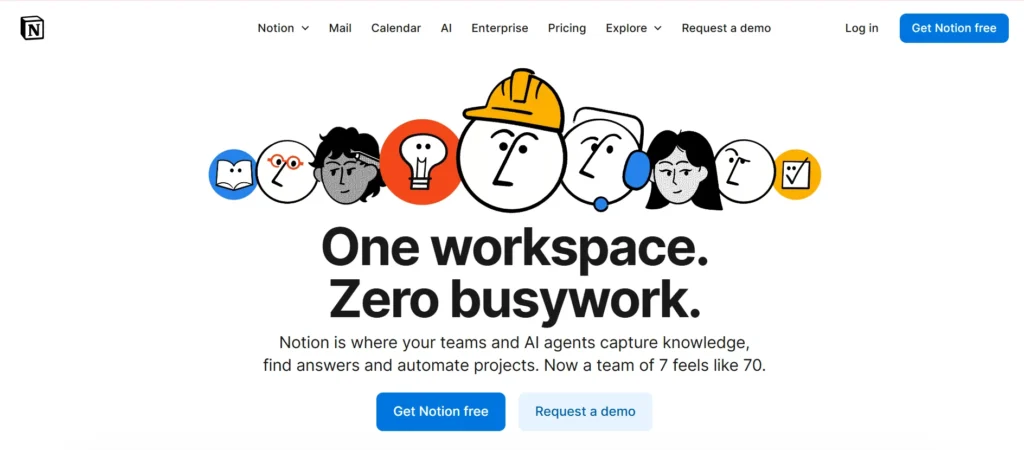
This platform resonates with users who want flexibility without being constrained by rigid layouts or predefined workflows. Many modern web applications struggle to support both creativity and structure, but this product positions the interface as a blank canvas while still maintaining usability.
- Minimal interface that reduces distraction and supports deep focus
- Flexible content blocks that adapt to multiple use cases without forcing fixed structures
- Consistent interaction patterns that make customization feel intuitive
- Lightweight visual elements that support personalization without clutter
- Performance improvements that enhance responsiveness across large workspaces
The design lesson here is how simplicity can scale when supported by strong interaction design. However, as content grows, managing large information structures can become challenging without advanced organizational tools.
4. Buffer
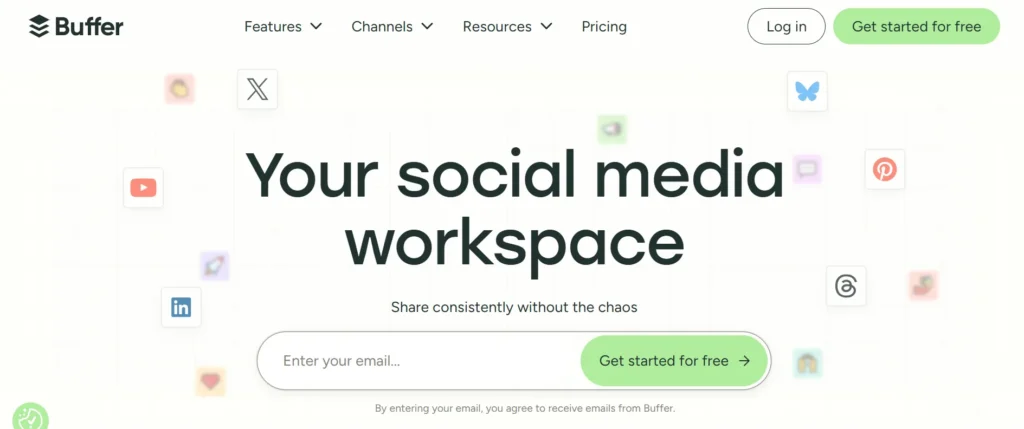
This platform addresses a common pain point for businesses managing multiple tools under one ecosystem. Many web applications struggle with navigation complexity when product offerings expand, but this interface demonstrates how clarity can be preserved through thoughtful layout decisions.
• Clear separation between primary navigation and task specific controls
• Effective use of whitespace to reduce interface fatigue
• Consistent visual language across multiple tools within the same platform
• Simple interaction patterns that lower the learning curve for new users
• Reporting views designed for quick interpretation rather than deep analysis
From a modern web application design angle, this example highlights the importance of predictable navigation and visual restraint. Advanced users may eventually require more customizable reporting and deeper data controls.
5. Intercom
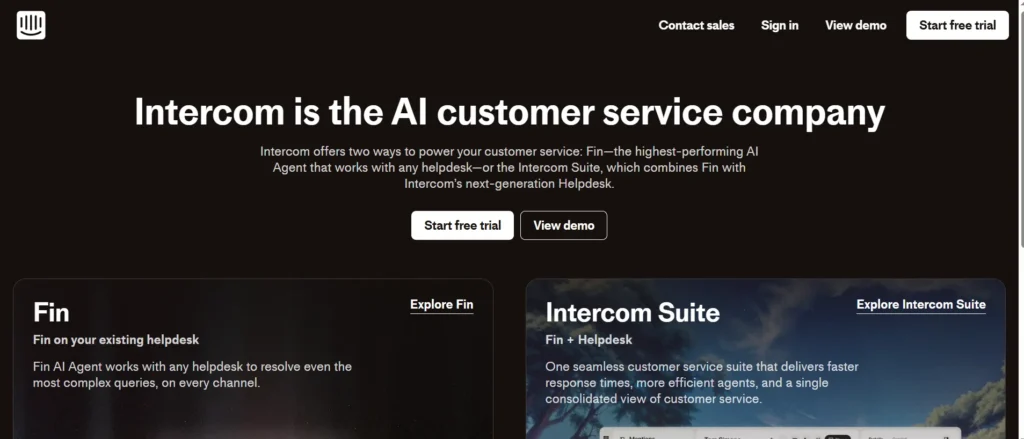
Inercom is highly relevant for teams dealing with high volume communication workflows and long session usage. Many messaging based web applications suffer from clutter and visual overload, but this interface focuses on calm, structured design.
• Clean layouts that reduce cognitive load during extended use
• Simplified navigation that prioritizes core tasks over secondary features
• Clear separation between conversations, automation, and configuration areas
• Visual density carefully managed to avoid interface fatigue
• Design choices that support focus and operational efficiency
The strongest takeaway for modern web application design is how reducing visual noise can directly improve productivity. The main opportunity for improvement lies in providing more flexibility for power users handling complex inbox workflows.
What Is Modern Web Application Design?
Web application design is the process of creating the visual interface and user experience for software accessed through a browser. Unlike standard websites that primarily display information, web applications are interactive tools. They allow users to manipulate data, generate reports, or communicate in real time.
When we approach web application architecture, we focus on both the frontend interface and the backend logic. It is not enough for buttons to look clickable. They must trigger the right actions instantly. This discipline merges graphic design with software engineering principles to create seamless digital environments.
How Modern Web Apps Differ from Traditional Websites
The main difference between a traditional website and a modern web app is intent and interactivity. A traditional website is a content-focused platform designed for information consumption, such as reading and browsing. A modern web application is a task-focused software program designed for functional interaction, which includes performing actions and manipulating data.
For example, think of the difference between a brochure site and a full SaaS platform. The brochure site delivers content. The SaaS platform delivers a service. We often explain to clients that while websites focus on content consumption, desktop and web applications focus on user interaction and task completion. This fundamental difference dictates every design decision we make at HALO Digital.
Why Design Matters in Web Applications
Design is the primary indicator of credibility. If your internal tool or customer portal looks outdated, users assume the technology behind it is also obsolete. Poor design leads to friction. Friction leads to frustration. And frustration kills conversion rates.
In our experience, investing in high quality web application design reduces training costs for internal tools and increases customer lifetime value for commercial products. It solves the pain point of user churn before it even begins.
Core Principles of Modern Web Application Design
User-Centric Design Approach
The most beautiful interface is useless if users cannot figure out how to use it. A user centric approach means we design based on how people actually behave, not how we wish they would behave. We rely heavily on data and user feedback loops.
We adhere to strict UX rules for B2B web applications where efficiency is paramount. For a B2B user, every extra click is wasted time. We map out user journeys to ensure the path from login to task completion is as short as possible.
Simplicity and Minimal UI
Clutter is the enemy of focus. Modern design favors minimalism not just for style, but for cognitive load management. By stripping away unnecessary elements, we allow users to focus on the core functionality of the app.
This does not mean the design is boring. It means every element serves a purpose. We utilize whitespace strategically to guide the eye. This mirrors the clean logic found in successful task management apps for founders, where clarity translates directly to productivity.
Performance-Focused Design
You cannot separate design from performance. Heavy graphics or poorly optimized scripts will slow down your app, causing users to bounce. We design with code in mind.
At HALO Digital, we ensure that our visual choices do not compromise load times. We optimize assets and use efficient rendering techniques. This is particularly crucial when dealing with web app architecture for developing dashboards for large datasets. A dashboard must load complex data instantly, or it fails its purpose.
Accessibility and Inclusive Design
The web is for everyone. Inclusive design ensures that people with disabilities can use your application effectively. This includes proper contrast ratios, keyboard navigability, and screen reader compatibility.
We treat accessibility as a requirement, not a feature. It expands your market reach and protects your business from legal risks. Plus, accessible design often results in a better experience for all users by enforcing clear structure and readability.
Consistency Across Screens and Devices
Users expect your app to work on their laptop, tablet, and phone without a hitch. Consistency builds trust. If a button is blue on the desktop, it should be blue on mobile.
We utilize responsive design frameworks that adapt fluidly. Whether we are building mobile cafe apps or enterprise portals, the experience remains unified. This seamless transition is key to maintaining user engagement throughout the day.
Key Elements of Modern Web Application UI/UX Design
Intuitive Navigation and Information Architecture
Navigation is the skeleton of your application. If it breaks, the body collapses. We structure information architecture so that users can predict where to find features.
We avoid hidden menus for core tasks. We use breadcrumbs and clear hierarchy. This is especially important in enterprise web application development where deep feature sets can easily become overwhelming without strict organizational logic.
Visual Hierarchy and Layout Structure
Visual hierarchy tells the user what is important. We use size, color, and position to rank elements. The most critical action on a page should catch the eye first.
For instance, in a results-focused web design, the “Buy Now” or “Submit” button always stands out against the background. We organize layouts using grid systems that provide order and balance, making the interface scanneable.
If you want to understand how these visual hierarchies directly influence user behavior and drive sales, take a closer look at the anatomy of a high-converting business website.
Typography and Readability
Text is the primary interface of the web. Choosing the right typeface is about legibility as much as branding. We select fonts that remain crisp on low resolution screens and scale well.
We also pay attention to line height and paragraph length. In our Islamic web design projects, for example, we ensure that calligraphy and traditional scripts are rendered beautifully without sacrificing readability on modern devices.
Color Systems and Branding
Color evokes emotion and guides action. We build color systems that define primary actions, warnings, and success states.
Consistency in color usage reduces the learning curve. If red means “delete” in one part of the app, it must mean “delete” everywhere. We integrate your brand colors naturally, ensuring the app feels like an extension of your company identity, similar to how we approach coffee website designs where the aesthetic matches the product’s vibe.
Microinteractions and User Feedback
Microinteractions are the subtle animations that occur when a user interacts with an element. A button pressing down, a toggle sliding over, or a loading spinner.
These small details provide immediate feedback. They tell the user “System received your request.” Without them, an app feels dead. We use these to delight users and make the interface feel responsive and alive.
Error Handling and Empty States
What happens when things go wrong? Or when there is no data to show? Good design handles these edge cases with grace.
Instead of a generic “Error 404”, we design helpful error messages that tell the user how to fix the problem. For empty states (like a dashboard with no data), we use the opportunity to onboard users, prompting them to “Create your first project.” This turns a potential dead end into a call to action.
Modern Web Application Design Trends in 2026
Component-Based Design Systems
Gone are the days of designing pages one by one. We now design systems. Component based design involves creating reusable UI elements like buttons, forms, and cards.
This ensures consistency and speeds up development. It aligns perfectly with the components of web-based application structures we use at HALO Digital. It allows us to scale your application rapidly without accruing design debt.
Dark Mode and Theme Customization
Dark mode is no longer a niche preference. It is a user expectation. It reduces eye strain and saves battery life on mobile devices.
We design apps with theming capabilities from the start. This empowers users to choose their preferred environment. Implementing a robust dark mode requires careful color contrast testing to ensure accessibility standards are met in both themes.
AI-Driven Personalization in Web Apps
Artificial Intelligence is changing how interfaces behave. Apps can now adapt to user behavior, showing relevant features or content based on past actions.
We are seeing a rise in interfaces that predict user intent. This reduces the number of clicks required to perform a task. However, as we explore in our guide on chatbot pros and cons, it is crucial that these AI features enhance the experience rather than intrude upon it.
Motion Design and Subtle Animations
Motion conveys meaning. We use animation to show transitions, explaining how the user got from screen A to screen B.
However, in 2026, the trend is “subtle.” Over-animating causes motion sickness and distraction. We use motion to guide attention, not to show off. A well timed slide-in menu feels natural; a bouncing button feels cheap.
Voice and Conversational Interfaces
Voice search and command features are entering the web app space. This is particularly useful for mobile users or hands-free environments.
We are integrating conversational UI where appropriate, allowing users to interact with data using natural language. This connects with the backend complexity discussed in our web application examples article, making complex databases accessible through simple speech or chat inputs.
Low-Code and No-Code Design Influence
The rise of low code platforms has influenced design aesthetics. Users are accustomed to drag-and-drop interfaces and modular layouts.
We often incorporate these “builder” style interfaces into SaaS products, giving end users more control over their workspace.
This democratization of design within the app itself is a massive trend for productivity software.
As these modular and AI-driven interfaces continue to evolve, staying updated with future web apps trends will ensure your product remains highly competitive in the coming years.
Web Application Design Best Practices for Businesses
Designing for Scalability
Your app might have 100 users today, but what about 100,000 tomorrow? We design interfaces that can handle growth.
This means avoiding navigation patterns that break when you add more items. It means designing tables that support pagination and filtering. We look at cloud application vs web application nuances to ensure the frontend can scale gracefully alongside the backend infrastructure.
Balancing Aesthetics with Usability
It is easy to make something pretty. It is hard to make something pretty that works well. We always prioritize usability.
If a design trend hurts readability, we skip it. Our goal is to solve business problems. We find that the most successful types of web applications are those that strike this balance, appearing modern without sacrificing utility.
Data-Driven Design Decisions
We do not guess. We test. We use A/B testing and heatmaps to see how users interact with our designs.
If users are ignoring a critical button, we move it. If they are dropping off at the signup form, we simplify it. This iterative process ensures the design evolves to meet user needs, maximizing your ROI.
Security-First Design Considerations
Security is not just a backend issue. It is a design issue. We design interfaces that encourage secure behaviors, like strong password creation and two-factor authentication prompts that are easy to understand.
We also consider data visibility. Sensitive information should be masked or hidden by default. This aligns with our rigorous full-stack web application release checklist, ensuring security is baked into the UI layer.
Designing for Speed and Performance
Speed is a feature. We design lightweight assets and use techniques like lazy loading to ensure the interface feels snappy.
We collaborate closely with developers to understand the “cost” of every design element. If a complex animation delays the Time to Interactive (TTI), we optimize or remove it. Fast apps convert better.
To dive deeper into the technical strategies that keep these interfaces running smoothly without lagging, explore our insights on website performance optimization.
Common Mistakes in Web Application Design (and How to Avoid Them)
Overcomplicated Interfaces
The most common mistake is trying to do too much. Cramming every feature onto the dashboard overwhelms the user.
Solution: Use progressive disclosure. Show the user only what they need to see right now. Let them click to reveal more advanced options.
Ignoring User Feedback
Designing in a vacuum is dangerous. If you do not listen to your users, you will build the wrong product.
Solution: Implement feedback loops directly in the app. Regular user testing sessions are non-negotiable for us at HALO Digital.
Poor Onboarding Experience
If a user signs up and does not know what to do next, they will leave. A steep learning curve is a growth killer.
Solution: Design interactive walkthroughs and “getting started” checklists.
Inconsistent UI Components
Inconsistency confuses users and makes the app look unprofessional.
Solution: strict adherence to a Design System. We treat the UI library as the single source of truth.
Lack of Accessibility Compliance
Ignoring accessibility alienates a portion of your audience and invites lawsuits.
Solution: Audit your designs against WCAG guidelines regularly. Use tools to simulate color blindness and screen reader usage.
Custom Web Application Design vs Template-Based Design
Benefits of Custom Web Application Design
Custom design gives you a competitive edge. It allows us to build workflows that match your exact business processes. You are not forced to adapt your business to the software; the software adapts to you.
At HALO Digital, our professional website development services USA ensure your brand stands out. You own the code and the design, giving you full control over your intellectual property.
Limitations of Pre-Built Templates
Templates are generic by definition. They are bloated with code you do not need, slowing down performance. They also look like everyone else’s site.
Furthermore, templates are hard to scale. As your features grow, you will hit the walls of the template’s logic, leading to expensive rebuilds later.
If you are currently deciding between a rigid template and a fully tailored platform, understanding the differences between custom web development vs WordPress can help clarify your long-term strategy.
When Businesses Should Choose Custom Design
If your web app is your core product, you must go custom. If you have unique workflows or strict security requirements, custom is the only viable path.
For simple, temporary marketing sites, a template might suffice. But for a robust tool meant to generate revenue, custom design is an investment in longevity.
How Halo Digital Approaches Modern Web Application Design
Design-First Development Process
We do not write a line of code until the design is solid. This prevents costly rewrites. We visualize the end product first.
UX Research and Wireframing
We start by understanding your users. We create low-fidelity wireframes to map out the structure. This allows us to iterate on the logic without getting distracted by colors and fonts.
This meticulous planning phase is a core part of our comprehensive web design services, ensuring every interface is both visually appealing and deeply functional.
UI Design and Prototyping
Once the structure is approved, we add the visual layer. We create high-fidelity prototypes that look and feel like the real app. You can click through them to get a feel for the flow.
Frontend-Backend Design Collaboration
Our designers and developers sit at the same table. We ensure that what we design is technically feasible and efficient to build. This addresses the common DevOps adoption gap where design and engineering often clash.
Ongoing Optimization and Iteration
Launch is just the beginning. We monitor how the app performs in the wild and continue to refine the design based on real world data.
Tools and Technologies Used in Modern Web App Design
We utilize the best tools in the industry to deliver top-tier results.
| Category | Tool Name | Best Used For |
|---|---|---|
| Design & Prototyping | Figma | Real time collaboration, UI design, and prototyping. |
| Design & Prototyping | Adobe XD | Wireframing and interactive prototypes for Adobe users. |
| Design & Prototyping | Sketch | Vector based design for macOS environments. |
| Frontend Framework | React.js | Building dynamic, component based user interfaces. |
| Frontend Framework | Vue.js | Lightweight and flexible interface development. |
| Handoff | Zeplin | Seamless design to code handoff for developers. |
| Testing | Hotjar | Heatmaps and user behavior analytics. |
| Testing | Maze | Rapid user testing and validation of prototypes. |
Design Tools (Figma, Adobe XD, Sketch)
Figma is our primary tool at HALO Digital because it allows for real time collaboration. Clients can see us working on the design live, fostering transparency.
Frontend Frameworks and Design Systems
We use frameworks like React to implement our component based designs. These technologies allow us to build modular, reusable code that ensures visual consistency.
Prototyping and Testing Tools
Tools like Maze allow us to put prototypes in front of users before we build. We validate our assumptions early to save you money.
Collaboration and Handoff Tools
We ensure a smooth transition from design to code. Tools like Zeplin generate code snippets for margins, colors, and fonts, ensuring the developer builds exactly what the designer envisioned.
This seamless handoff is vital for our web development teams to accurately translate complex UX logic into secure, scalable, and high-performing code.
FAQs
What makes a web application design “modern”?
A modern design is characterized by a clean, minimalist aesthetic, mobile responsiveness, fast performance, and a user centric focus. It often utilizes current technologies like AI and component based architecture.
How important is UI/UX in web application design?
UI/UX is very important in web application design. Good UI/UX reduces user frustration, increases adoption rates, and directly impacts your bottom line. It is the difference between a tool people have to use and a tool people love to use.
What is the difference between web app design and website design?
The difference between web app design and website design is that web app design focuses on interaction, task completion, and complex workflows. Website design focuses on content delivery and information consumption.
How long does it take to design a modern web application?
It takes weeks or even months to design a modern web application. The timeline varies based on complexity. A simple MVP might take 4 to 6 weeks for design, while a complex enterprise platform could take several months. We provide detailed timelines during our scoping phase.
How much does modern web application design cost?
Modern web application cost varies from $10,000 to $100,000+. The cost depends on the scope, complexity, features, etc. We recommend checking our guide on web application development cost for a breakdown of factors that influence pricing.
Is responsive design mandatory for web applications?
Yes, responsive design is mandatory for web application. With mobile usage dominating the web, your app must function perfectly on screens of all sizes.
Can existing web apps be redesigned using modern design principles?
Absolutely. We specialize in redesigning web applications to improve performance and usability without losing core data.
Conclusion
Modern web application design is a strategic asset. It requires a blend of creativity, psychology, and engineering. At HALO Digital, we are passionate about building digital products that solve real problems. If you are ready to elevate your web presence and build an application that drives growth, we are here to help. Let’s build something exceptional together.

Arsalan Chauhdary is the CEO and Co-Founder of Halo Digital, a full-spectrum software development agency serving startups and enterprises globally. Over the past 10 years, he has led the architecture and development of platforms used by millions of people across 160+ countries, including DonorSync (GDPR-compliant charity SaaS), Pilgrim (faith-based mobile app with 50K+ users), and enterprise portals for multinational organizations. His work has been referenced by Cloudways and published on Creately. Arsalan Tariq specializes in Laravel, AWS, and building secure, scalable systems for regulated industries including healthcare, finance, and nonprofits. At Halo Digital, he leads a multidisciplinary team focused on delivering products that prioritize security, compliance, and long-term impact.